 EN
EN
 English
 Español
 русский
 简体中文
简体中文

News
Content
- 1 Why Safe Handling of PCB Relays Matters
- 2 Precautions During Receiving and Storage
- 3 Electrical Rating Compliance and Load Matching
- 4 PCB Layout and Soldering Precautions
- 5 Operating Environment Requirements
- 6 Coil Drive Circuit Design and Protection
- 7 Contact Care and Switching Precautions
- 8 Safety Isolation and Regulatory Compliance
- 9 Maintenance, Inspection, and End-of-Life Practices
- 10 Frequently Asked Questions
- 10.0.1 Q1: What is the most common cause of PCB relay failure?
- 10.0.2 Q2: Can I use a relay rated for AC loads on a DC circuit?
- 10.0.3 Q3: How do I protect a PCB relay from static electricity during handling?
- 10.0.4 Q4: Do I always need a flyback diode when driving a PCB relay coil?
- 10.0.5 Q5: What signs tell me that a PCB relay needs to be replaced?
- 10.0.6 Q6: Can I remove a relay from a PCB and reuse it?
Why Safe Handling of PCB Relays Matters
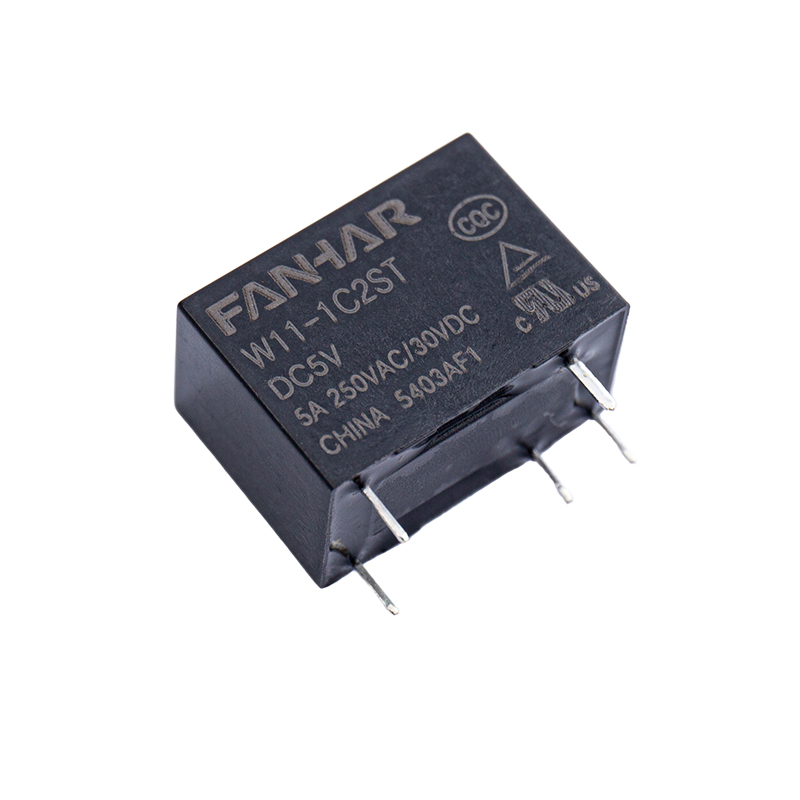
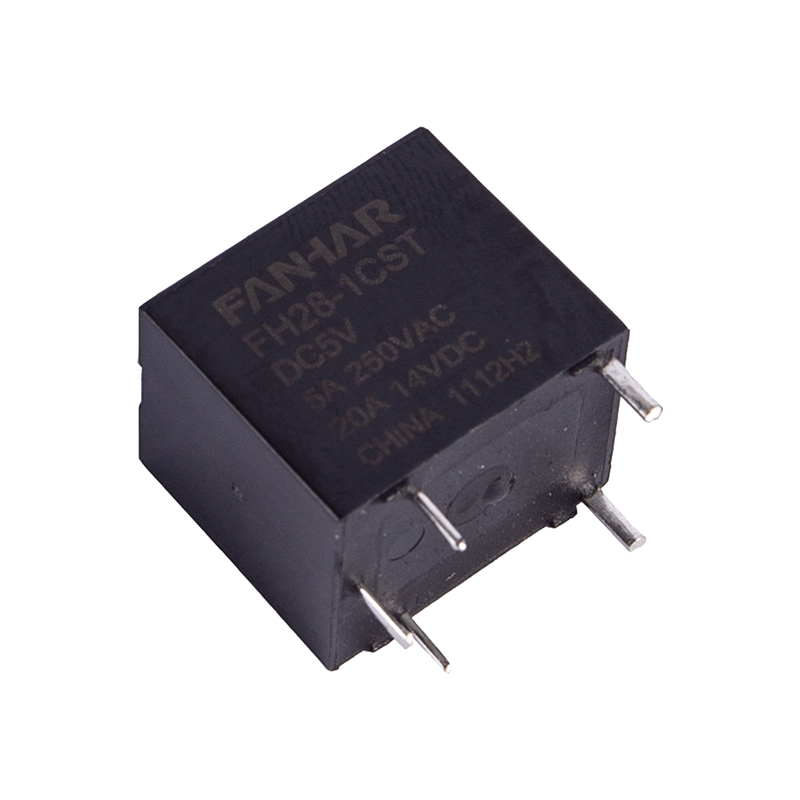
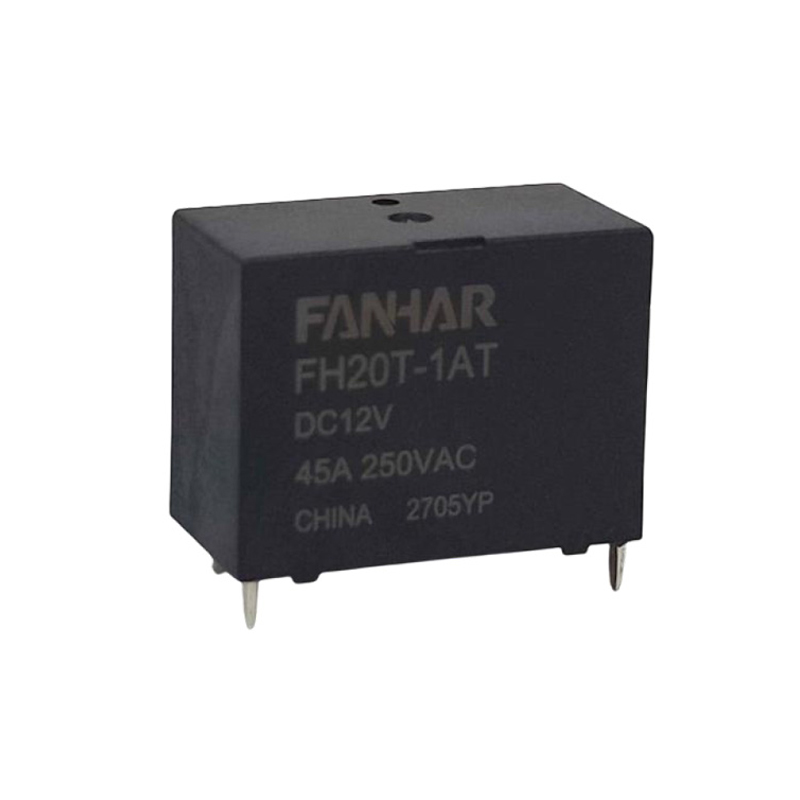
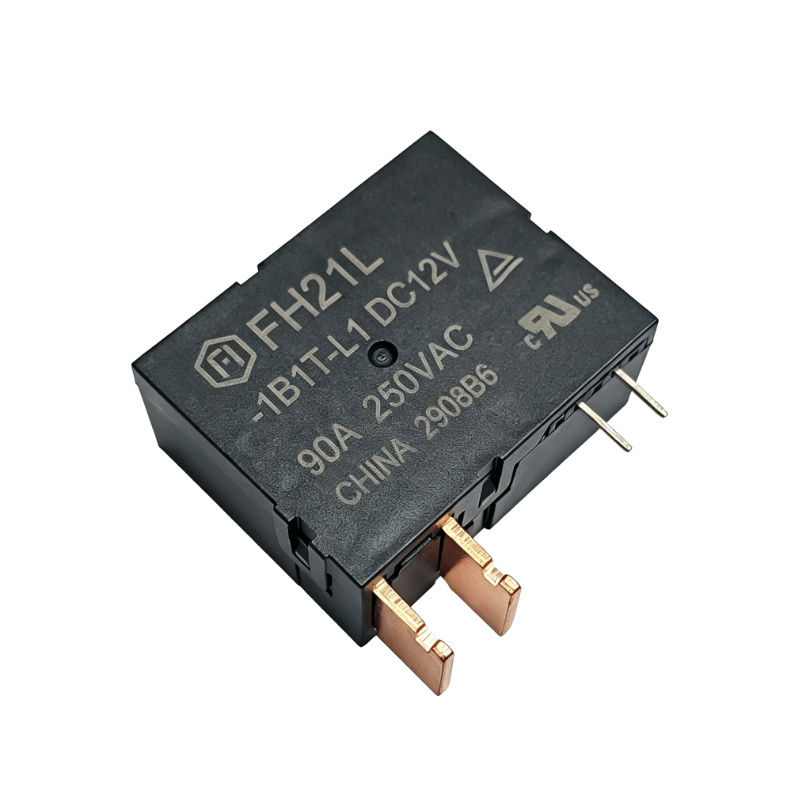
A PCB relay is a small switching device that sits directly on a printed circuit board. It controls electrical circuits in many everyday products, including factory machines, cars, home appliances, and phone network equipment.
These components look simple, but they work under real electrical stress. They are also sensitive to heat, moisture, and rough handling. Industry data shows that more than 30% of relay failures in electronic systems come from installation mistakes, wrong load conditions, or poor environmental control. All of these problems can be avoided.
This article walks you through the key safety steps for using PCB relays correctly. It covers everything from receiving and storage to installation, daily operation, and long-term care.
Precautions During Receiving and Storage
Inspect Upon Arrival
When your relays arrive, check them carefully before accepting the batch. A quick inspection at this stage can catch hidden defects early. Here is what to look for:
- Check that the packaging is not crushed, wet, or damaged by static electricity.
- Confirm that the part numbers and voltage ratings match your order.
- Look at the terminals and housing for cracks, color changes, or bent pins.
- Make sure any protective covers or sealing tape are still in good shape.
Proper Storage Conditions
You need to store PCB relays in a controlled space to keep them working well. The table below shows the key storage conditions you should follow:
| Parameter | Recommended Range | Risk if Exceeded |
| Ambient Temperature | -10°C to +40°C | Coil insulation damage, contact rust |
| Relative Humidity | 20% to 75% RH (no condensation) | Corrosion, weaker insulation |
| Storage Duration | Use within 12 months of manufacture | Hardened flux residue, contact film buildup |
| Atmosphere | No corrosive gases | Contact surface damage, coil wire corrosion |
Keep relays in their original anti-static bags until you are ready to use them. Do not stack heavy items on top of relay trays. Physical pressure on the housing can damage the internal parts and affect how well the relay switches.
Electrical Rating Compliance and Load Matching
Never Exceed Rated Values
Every PCB relay has a set of electrical limits. These limits define how much voltage and current the relay can safely handle. Going beyond these limits is one of the most common reasons relays fail early. Here are the key values you must respect:
- Coil rated voltage: Use the voltage shown on the datasheet. If the voltage is below 80% of the rated value, the relay may not close fully. If it goes above 110%, the coil can overheat.
- Contact rated current: Do not let the current go over the maximum limit. Too much current wears out the contact surface and can cause the contacts to fuse together.
- Contact rated voltage: Stay within the maximum voltage allowed across open contacts. Exceeding this can break down the gap between the contacts.
- Switching power: The combination of load voltage and current must stay within the range shown in the datasheet load curves.
Load Type Considerations
The type of load you are switching has a big impact on how long the relay contacts last. Simple resistive loads are the easiest to handle. But many real circuits use inductive or capacitive loads that create harmful voltage spikes or high startup currents. Follow these guidelines for each load type:
- Inductive loads (motors, solenoids, transformers): Always add a protection component across the load. Use a flyback diode for DC circuits or an RC snubber for AC circuits. This stops the voltage spike that happens when the coil turns off.
- Capacitive loads (power supplies, long cables): The startup current can be several times the normal level. When switching these loads repeatedly, use a contact current rating that is at least 50% lower than the maximum.
- Lamp loads: A cold light bulb filament can draw 10 to 15 times its normal operating current at startup. Use a relay with a higher contact rating, or add a soft-start circuit to the design.
- Low-level signal loads: For very small currents in the milliamp range, choose a relay that is specifically designed for low-level switching. Standard power contacts may not switch reliably at very low current levels.
PCB Layout and Soldering Precautions
Footprint and Pad Design
The relay footprint on your PCB must follow the size and spacing shown in the manufacturer's datasheet. A common mistake is making the solder pads too small, which leads to weak joints. Another issue is placing high-voltage contact traces too close to low-voltage coil traces. As a basic rule, keep at least 1.0 mm of space between traces for circuits up to 50V, and increase that distance for higher voltages.
Place the relay away from components that generate a lot of heat, such as power transistors or large resistors. Uneven heat across the relay body can stress the solder joints over time.
Soldering Process Controls
Too much heat during soldering can damage a PCB relay. Follow these steps to keep the process safe:
- For wave soldering, heat the board gradually to no more than 120°C before it reaches the solder wave. The contact time with the solder wave should not exceed 5 seconds at 260°C.
- For reflow soldering with surface-mount relays, first check that the relay is rated for reflow. The peak temperature must not go above the relay's limit, which is usually between 245°C and 260°C for lead-free processes.
- Remove any dust cover or protective seal only after soldering is done. This stops flux vapors from getting onto the contact surfaces.
- Do not push or pull the relay body while soldering, and wait for the solder to fully harden before applying any force.
- Do not use ultrasonic cleaning on boards that have relays. The vibrations can damage or fuse the internal moving parts.
Post-Solder Cleaning
If you need to clean the board after soldering, use only cleaning agents that work safely with the relay's housing material. Sealed relays can usually handle water-based cleaning. However, open-frame relays must never be exposed to cleaning liquids or water. Any residue left inside will contaminate the contacts and cause unreliable switching.
Operating Environment Requirements
Temperature and Humidity
The environment where your relay operates directly affects how well it performs and how long it lasts. Most standard PCB relays work in temperatures from -40°C to +85°C. But keep in mind that coil resistance goes up as temperature rises. This means the relay needs more voltage to close properly in hot conditions. Check that your drive circuit can supply enough voltage across the full temperature range your product will experience.
High humidity speeds up corrosion on silver-alloy contacts. If your product regularly operates above 85% relative humidity, choose relays with gold-plated contacts. Gold-plated contacts resist corrosion much better, especially when switching small signals.
Vibration and Shock
Relays used in cars, industrial machines, or vehicles face constant shaking and sudden impacts. These forces can cause the contacts to bounce and create false switching signals. In extreme cases, they can permanently bend the internal spring. When using PCB relays in these conditions, follow these steps:
- Choose a relay model that lists vibration resistance values matching your application's requirements.
- Mount the relay so that the main direction of vibration runs sideways to the direction the internal arm moves.
- Add mechanical support brackets for applications where shock forces exceed 50g.
Atmospheric Contamination
Harmful gases such as sulfur, chlorine, or ammonia can quickly damage contact surfaces and coil wire insulation. This is a real risk in chemical plants, coastal areas, or rooms where building materials release gases over time. In these environments, always use sealed relay models with the right protection rating. Never install open-type PCB relays where harmful gases are present.
Coil Drive Circuit Design and Protection
Driving the Coil Correctly
The coil drive circuit must provide steady, clean voltage within the relay's required operating range. Here are the main design rules to follow:
- Use a dedicated transistor or driver chip to power the coil. Do not connect the coil directly to a microcontroller output pin. Most microcontroller pins cannot supply the 50 mA to 200 mA that PCB relay coils typically need.
- Always add a flyback protection diode across the coil in reverse direction. When the coil is turned off, it generates a large reverse voltage spike. Without the diode, this spike can damage nearby components on the board.
- If you need the relay to release faster, add a resistor in series with the flyback diode. This helps the relay open more quickly, though it does allow a slightly higher voltage spike during the process.
- Avoid using pulse-width modulation below 1 kHz to control the coil. At low frequencies, the internal arm may only move part of the way, causing the contacts to bounce and wear out faster.
Thermal Management of the Coil
A coil that stays energized for a long time will heat up because of the electrical resistance in the copper wire. You need to make sure this heat stays within the coil's rated limit. One practical solution is to use an economy circuit. This circuit first applies full voltage to close the relay, then drops the voltage to a lower holding level — usually 30% to 50% of the rated voltage. This simple change can reduce power use and heat by up to 75%.
Contact Care and Switching Precautions
Avoiding Contact Contamination
Relay contacts are precision surfaces. Even a tiny amount of oil, silicone, or fingerprint residue can create a thin film on the contact surface. This film acts as an insulator and leads to unreliable switching. Follow these simple rules to keep contacts clean:
- Always handle PCB relays with anti-static gloves or finger covers.
- Keep relays away from silicone-based sprays, lubricants, or surface coatings that contain silicone.
- Do not press the relay arm down by hand during testing. This can cause contamination and put stress on the internal parts at the same time.
Switching Frequency and Contact Life
Relay contacts do not last forever. They have a rated life, expressed as a number of switching operations. Most standard PCB relays are rated for 100,000 operations under full load and up to 10 million operations with no load. To get the most life out of your relay contacts, follow these tips:
- Keep the load current as low as the application allows. Contact wear increases sharply as current approaches the rated maximum.
- Use arc suppression components on the load side to reduce the arc that forms when the contacts open.
- Avoid switching capacitive loads at the moment the AC voltage crosses zero, since this is when startup current is at its highest.
- In safety-critical systems, track how many times the relay has switched. Replace it before it reaches the end of its rated life.
Safety Isolation and Regulatory Compliance
Creepage and Clearance Distances
In systems where the relay separates a high-voltage mains circuit from a low-voltage control circuit, the physical distances between conductive parts are very important. These distances must meet the safety standards that apply to your product's target market. Always check the relay datasheet to confirm it clearly states compliance with the relevant standards. Do not use a relay that is only rated for low-level signal use in a mains-switching role, even if the contact current rating looks high enough.
Conformal Coating Considerations
If the PCB assembly will receive a protective coating, you must cover the relay before applying it. Coating materials — including acrylic, polyurethane, and silicone types — must not get inside the relay housing. Use masking tape or dedicated relay covers to block all openings before the coating process begins. Remove the masking only after the coating has fully dried. Any coating that gets into the relay mechanism can lock the internal arm in place or create an unintended electrical path across the contact gap.
Maintenance, Inspection, and End-of-Life Practices
Periodic Inspection Checklist
PCB relays in installed systems should be checked as part of a regular maintenance schedule. Here is a practical checklist you can follow:
- Measure coil resistance with a multimeter and compare it to the value recorded at installation. A rise of more than 10% may mean the coil is starting to fail.
- Measure the resistance across the closed contacts. Values above 100 milliohms for standard power contacts suggest surface rust or wear.
- Look at the solder joints around the relay terminals. Cracks can develop over time from heat cycles or vibration.
- Listen for unusual clicking sounds or slow actuation during testing. These may point to mechanical wear or contamination inside the relay.
- Check for any burn marks or dark discoloration around the relay body. These are signs that the relay has been overloaded at some point.
Replacement and Disposal
When you replace a PCB relay, always use the same part or a confirmed compatible substitute. The replacement must match all voltage ratings, physical dimensions, and pin layout. Never swap in a relay with a higher coil voltage rating without checking the drive circuit first. The relay may not close reliably with the existing circuit. When you dispose of old relays, treat them as electronic waste and send them to a proper recycling facility, as required by local rules.
Frequently Asked Questions
Q1: What is the most common cause of PCB relay failure?
The most common causes are contact wear from switching inductive or capacitive loads without protection components, coil overheating from being kept on for too long, and contact contamination from flux residue or silicone that gets into the housing during assembly.
Q2: Can I use a relay rated for AC loads on a DC circuit?
Yes, but you need to be careful. DC circuits do not have a natural point where the current drops to zero, so arcs are harder to stop. When switching DC loads, you should use only 50% or less of the relay's AC current and voltage rating, unless the datasheet gives specific DC ratings.
Q3: How do I protect a PCB relay from static electricity during handling?
Handle relays at a grounded anti-static workstation. Use a wrist strap and an anti-static mat. Keep the relays in their original anti-static packaging until you are ready to place them. Avoid touching the terminals with bare hands, and make sure all tools and trays in your workspace are also anti-static.
Q4: Do I always need a flyback diode when driving a PCB relay coil?
Yes, in almost every case. When the coil turns off, it creates a large reverse voltage spike. This spike can break the transistor or chip that controls the relay. A flyback diode placed in reverse across the coil clamps this spike and protects the rest of your circuit.
Q5: What signs tell me that a PCB relay needs to be replaced?
Watch for these warning signs: the relay fails to switch under normal conditions, contact resistance is higher than normal, there are burn marks on the relay body, the relay is slow to respond, you hear chattering sounds during operation, or the measured coil resistance has changed significantly from its original value. Any of these signs means the relay should be replaced, especially in safety-sensitive systems.
Q6: Can I remove a relay from a PCB and reuse it?
It is generally not a good idea. Removing a relay from a PCB exposes it to extra heat stress. The pins may also be weakened by the process. On top of that, you do not know how many times the relay has already switched, so you cannot rely on its remaining life. For anything beyond basic prototyping, always use new relays.
 Previous